




The Hidden Dashboard
Uploading a song to a digital distributor is only half the job. Most independent creators think the work ends when the track goes live on streaming services.
Every single day, thousands of new songs flood the digital market. Standing out requires more than just good music. It requires an aggressive business strategy.
The artists who actually make a full-time living check their stats daily. They treat their dashboard like a daily report card.
In reality, the real work just started. Behind the scenes, the Apple Music for Artists dashboard is the control center where real business decisions happen.
This backend tool gives you direct access to the listeners actually spending money on your music. If you ignore this platform, you leave serious money and growth opportunities on the table.
Many artists spend all their time obsessing over Spotify. While Spotify has a massive user base, focusing only on one platform limits your income.
Treating your music like a real business means understanding where your highest-paying customers live. For millions of independent musicians, those high-paying customers live inside the Apple ecosystem.
The Payout Reality: Why Apple Pays More
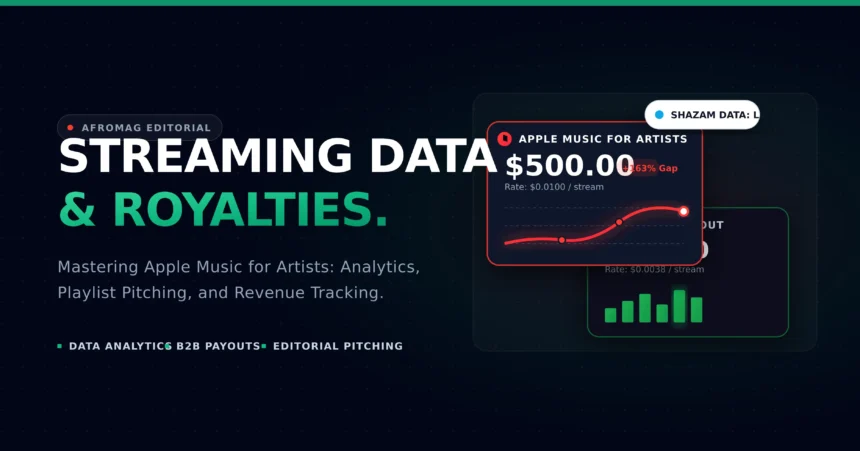
When you compare streaming checks, you quickly notice a stark difference in royalty rates. Apple Music pays roughly $0.01 per stream to rights holders. Spotify, on the other hand, pays a much lower average of $0.003 to $0.005 per play.
This massive gap happens for a very specific reason. Apple does not have a free, ad-supported tier. Every single listener on the platform is a paying customer.
Because everyone pays a monthly subscription fee, the overall royalty pool for creators is much larger. Free tiers constantly drag down the average payout per stream on other services.
This changes your entire marketing math. Focusing your marketing efforts on Apple users requires fewer total streams to hit the exact same revenue goal.
| Streaming Platform | Avg. Payout Per Stream | Ad-Supported Tier? | Primary Curator Model | Streams to Earn $1,000 |
|---|---|---|---|---|
| Tidal | $0.0125 | No | Human Editorial | 80,000 |
| Apple Music | $0.0100 | No | Human Editorial | 100,000 |
| Amazon Music | $0.0040 | Yes | Hybrid | 250,000 |
| Spotify | $0.0038 | Yes | Algorithmic Heavy | 263,157 |
| YouTube Music | $0.0020 | Yes | Algorithmic Heavy | 500,000 |
The Marketing Math
- 10,000 streams on Spotify equals roughly $30 to $50.
- 10,000 streams on Apple Music equals roughly $80 to $100.
- You need half the audience to hit the same financial targets.
This means your paid ad campaigns can be much more efficient. If you spend $50 on Instagram ads to drive traffic to a song, sending that traffic to Apple Music gives you a better chance to break even.
🎵 Apple Music vs. Spotify Royalty Calculator
Calculate your payouts and see the massive stream gap between the two platforms.
💡 Efficiency Rule: You require 163% more streams on Spotify to achieve the exact same gross royalty check.
Geography also plays a role in these payouts. Streams from users in the United States or the United Kingdom generally pay higher rates than streams from emerging markets. However, Apple’s baseline payout remains incredibly strong worldwide.
When you start tracking your income properly, you will notice that Apple listeners are highly loyal. They tend to listen to full albums rather than just single tracks. This behavior multiplies your earnings very quickly.
Reading the Analytics
The data inside the backend is highly detailed if you know where to look. You can see exactly how many people skip your song, save it, or buy it directly from the iTunes store.
One of the biggest advantages is the Shazam integration. Apple owns Shazam, so the data flows directly into your dashboard. You can see the exact cities where fans are holding up their phones to identify your songs.
Smart managers use this specific city data to book profitable live tours. If you see a massive spike in Shazams in Chicago, you know exactly where to route your next string of shows.
You can also use this data to target local radio stations. Sending your track to a station in a city where it is already highly Shazamed makes your pitch much stronger.
3 Priority Metrics in Apple Music for Artists
- Shazam Location Tags: Identifies uncaptured organic interest per city before streams show up on charts.
- Radio Spins (40k+ Stations): Tracks global terrestrial and satellite broadcast airplay in real time.
- Milestone Pre-Add Conversions: Measures fan commitment prior to release day to signal intent to the editorial team.
Key Metrics You Need to Track
- Plays: A play only counts when a user listens to your song for more than 30 seconds. Short skips do not generate revenue.
- Average Daily Listeners: This shows the average number of unique daily listeners. It tells you if your core fan base is growing.
- Radio Spins: This tracks when your song plays on more than 40,000 terrestrial and digital radio stations globally.
- Purchases: This tracks direct digital downloads from the iTunes Store.
- Milestones: This highlights your all-time bests, like hitting peak streams or landing on an editorial playlist.
You should also study the Trends tab regularly. This section breaks down the age, gender, and location of your listeners. You can use this exact data to build highly targeted social media ads.
The Places tab gives you a heat map of your global popularity. You can filter this map by city, state, or country. Seeing your music catch fire in a specific region allows you to focus your press outreach there immediately.
Sharing your data with your collaborators is also a smart move. The platform allows you to add team members to your account. You can grant access to your manager, your publicist, or your marketing agency.
This allows your entire team to pull reports and adjust their strategies in real time. When you approach booking agents or record labels, they want to see hard numbers. Showing them a dashboard full of rising, engaged listeners proves your worth instantly.
Pitching to Human Curators
The playlist ecosystem here operates differently than the rest of the industry. Unlike Spotify’s heavy reliance on automated algorithms, Apple Music relies heavily on human editorial curators. Real people sit in offices and decide what songs get placed on the biggest playlists.
🚀 The Editorial Playlist Pitching Timeline
Because humans make these decisions, visual presentation matters. Curators often review your profile before they decide to push your track.
You need to optimize your artist profile to look totally professional. Upload custom, high-resolution profile pictures. Make sure your bio is completely updated with your latest press and achievements.
A sloppy profile signals to curators that you are not taking your career seriously. A sharp, clean profile gives them the confidence to feature your work prominently.
Do not wait until the last minute to pitch your music. You should be planning your pitches weeks in advance. Give the editorial team plenty of time to review your upcoming release.
Include a brief, compelling story about how the song was made. Human curators want to connect with the emotion behind the music.
Another powerful tool is the pre-add feature. Allowing fans to save your upcoming album to their library before release day creates early momentum.
If you are pitching unreleased tracks for TV or film placements, review our full guide on commercial music licensing and Hollywood sync placements.
Curators notice strong pre-add numbers and often reward that traction with editorial support.
You should also pay attention to the wider device ecosystem. Many fans discover music through Siri, the Apple Watch, or HomePod speakers.
If your music sounds great and is properly tagged, voice searches can drive massive traffic. Make sure your lyrics are uploaded and synced correctly. Fans often search for songs by speaking a few lines of the chorus directly into their phones.
The Power of Spatial Audio
You cannot ignore the technical side of the platform. Apple pushes high-quality audio formats very heavily to its users. Spatial Audio and Dolby Atmos are no longer just gimmicks.
Delivering your masters in Spatial Audio gives you a significant edge when pitching to editorial teams. Curators actively look for tracks that highlight the platform’s premium sound capabilities.
If you want prime placement on the homepage, investing in top-tier mixing and mastering is mandatory. Listeners pay a premium price for the service, and they expect a premium listening experience in return.
Many independent producers think Spatial Audio is too expensive. However, mixing in Dolby Atmos has become much more affordable recently. Many local studios now offer spatial mixing at indie-friendly rates.
Upgrading your sonic quality is a direct investment in your streaming numbers. Classical musicians also have a massive advantage here.
The dedicated Apple Music Classical app targets a very specific, high-income audience. If you produce instrumental or classical music, this separate app offers incredible visibility.
Conclusion
Treating streaming platforms like business partners rather than just hosting sites is how independent creators win. You have access to the exact same data as major record labels.
The Apple Music for Artists app is completely free to use. Claim your artist profile today, study the numbers, and start building a smarter music career.
When you understand the payouts, read the analytics, and pitch correctly, you stop guessing. You start making decisions based on real facts. In today’s highly competitive music business, treating your data like gold is the only way to survive.
Before you scale your streaming marketing, make sure your commercial legal foundation is solid. Read our guide on building a commercial studio and real estate law to protect your long-term business assets.
This article contains streaming payout estimates based on aggregated 2026 industry data. Payouts fluctuate based on listener geography and subscription types. AfroMag editorial content is strictly designed for B2B music industry education.